If your team logs worklogs in ManageEngine ServiceDesk Plus Cloud and you want that activity automatically reflected as a note on the request, you’ll be pleased to know it’s possible. We recently helped an IT team at a legal sector organisation get exactly this working, and there was an interesting complication along the way that’s worth knowing about.
Here’s what was involved.
What They Were Trying to Do
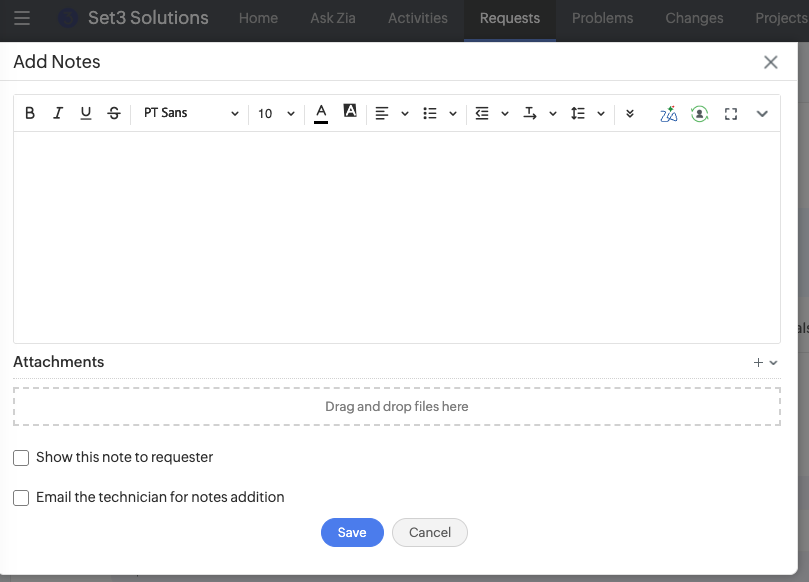
The customer wanted a note created on a request automatically every time a technician added a worklog. The note needed to capture the key details: the worklog description, time spent, and total charge.
The idea was to keep the request timeline clear and informative without technicians having to manually add a note on top of every worklog entry. Straightforward enough in principle, but it took a bit of work to get right.
How It Works
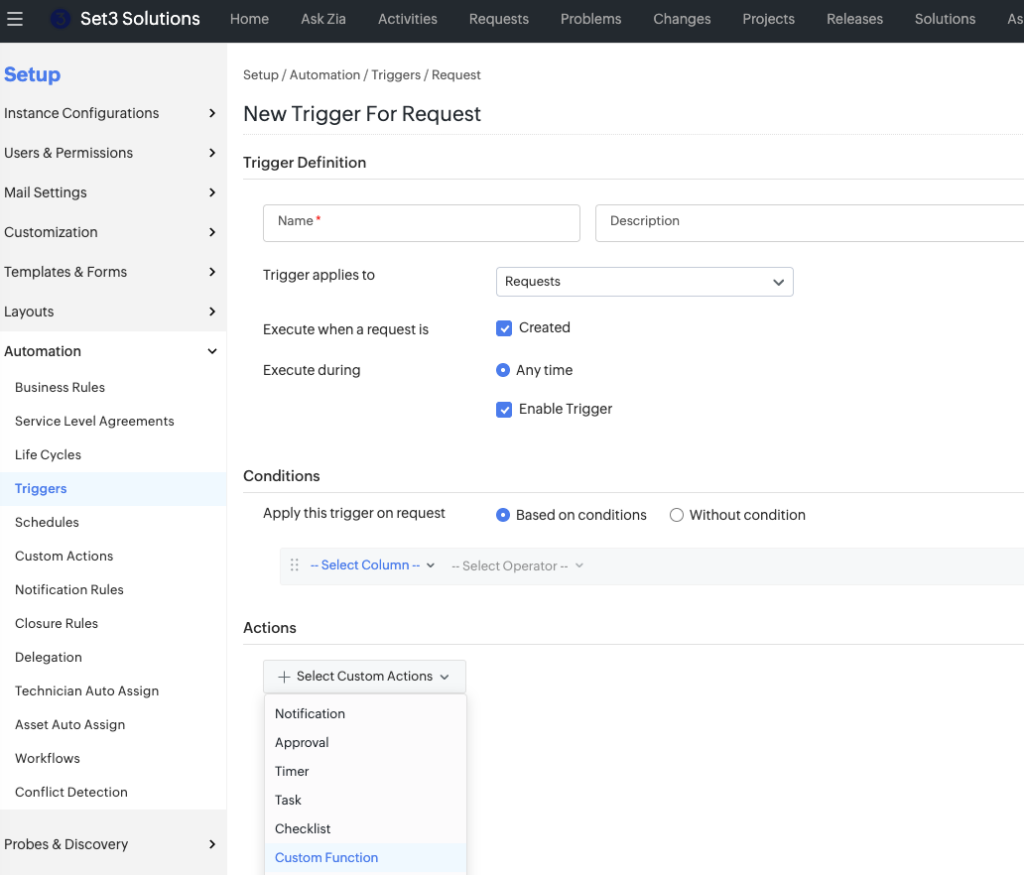
The solution uses a custom script attached to a trigger in ServiceDesk Plus Cloud. The trigger is set to fire whenever a worklog is added to a request, and the script pulls the relevant worklog details through and posts them as a note automatically.
Getting the trigger conditions right and making sure the script handles your specific worklog fields correctly is where it gets a bit involved, and it will vary depending on how your instance is configured.
The Complication: Note Creator Always Shows the Same Name
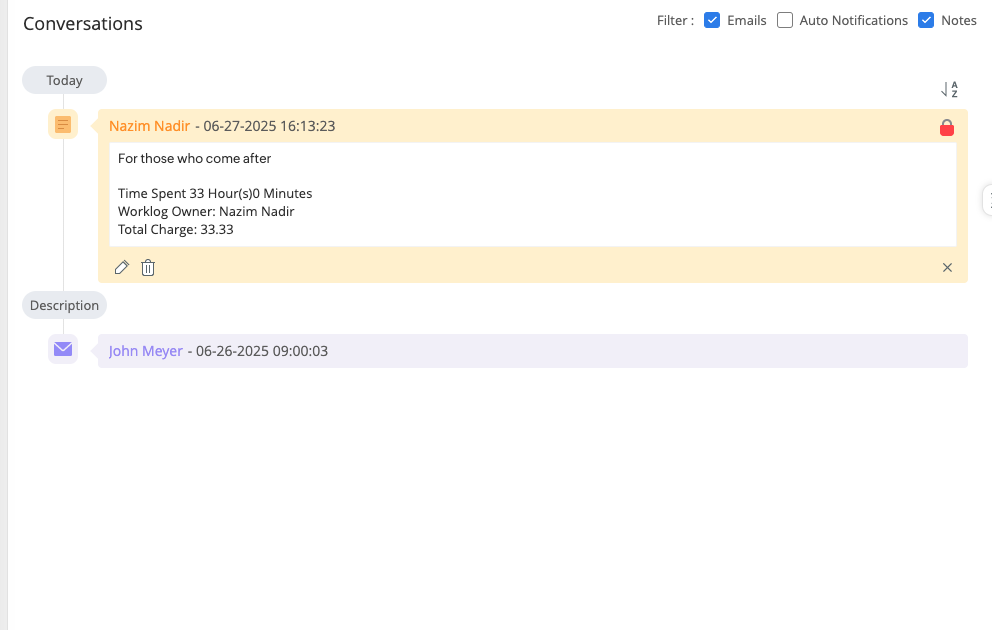
Once the function was working, the customer spotted a problem. Every note was showing the same person as the creator, regardless of which technician had actually logged the worklog. For a legal sector organisation where attribution matters, that wasn’t going to work.
We looked into whether it was possible to dynamically change the note creator to match the worklog owner. After checking with ManageEngine directly, it turns out this is currently not possible in ServiceDesk Plus Cloud. The note creator field cannot be changed programmatically.
There is a workable solution though. With a small adjustment to the script, the actual technician’s name is included clearly within the note content itself, so attribution is still visible even if the creator field can’t reflect it. Pairing this with a generic company account to run the trigger keeps things tidy on the surface while still making it clear who actually did the work.
Getting This Set Up
This is the kind of thing that’s good to know is possible, but getting it configured correctly for your environment takes a bit of know-how. The trigger logic, script variables and workaround all need to work together, and it’s easy to end up with notes that are incomplete or attributed incorrectly if something isn’t quite right.
If you’d like our ManageEngine specialists to get this set up for you, get in touch and we’ll take it from there.
Getting More From ServiceDesk Plus Cloud
As a UK-based ManageEngine partner, we work with organisations across a range of sectors to get the most out of the full ManageEngine suite. Whether it’s custom scripting, automation or general configuration, our team are happy to help.
Drop us a line and let’s have a chat.
This article is relevant to:
CloudService DeskTraining
UK-Based ManageEngine Specialists
Set3 Solutions are an award-winning ManageEngine Technology Partner. Whatever you need from your ManageEngine products, our specialists are here to help.
Contact usOther recent articles in the same category
You may be interested in these other recent articles
Stay Ahead with the Latest Updates for ManageEngine Analytics Plus
29 September 2026
Discover the latest ManageEngine Analytics Plus updates, including new features, fixes, and enhancements.
Read moreLatest Updates for ManageEngine Endpoint Central
28 September 2026
Discover the latest Endpoint Central updates, including new features, fixes, and enhancements.
Read moreStay Ahead with the Latest Updates for ManageEngine OpManager
23 September 2026
Discover the latest OpManager updates, including new features, fixes, and enhancements.
Read moreLatest Updates for ManageEngine ServiceDesk Plus On-Premise
Discover the latest ServiceDesk Plus updates, including new features, fixes, and enhancements.
Read moreLatest Updates for ManageEngine ServiceDesk Plus Cloud
Discover the latest ServiceDesk Plus Cloud updates, including new features, fixes, and enhancements.
Read more