If you need to reset an admin account in ServiceDesk Plus, getting locked out of your environment can be stressful, especially when two-factor authentication (2FA) is enabled. Recently, we helped a customer on a build with an external MS SQL database regain access and safely reset their local admin credentials.

While ServiceDesk Plus provides guidance for resetting local admin passwords and disabling 2FA, many of the batch files or scripts referenced in older documentation (such as Disable2FA.bat or ExecuteQuery.bat) may no longer exist on newer builds. Similarly, database-level queries are often documented only for PostgreSQL, leaving MS SQL administrators unsure of the correct approach. That’s where expert guidance is invaluable.
At Set3 Solutions, we regularly help organisations reset admin accounts in ServiceDesk Plus across a variety of builds and configurations, including MS SQL databases. Our team ensures that local admin credentials can be safely updated, 2FA can be disabled if required, and all changes are applied without disrupting business continuity or compromising security.
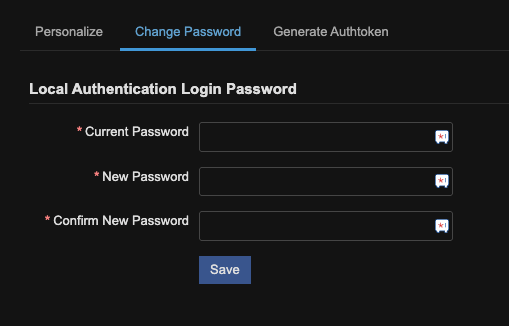
For example, a typical process for resetting an admin account in ServiceDesk Plus involves verifying access to the MS SQL database, reviewing relevant tables, executing precise update queries, and confirming that the admin account is functioning correctly. Disabling 2FA also requires a careful approach: incorrect changes can lock the system or weaken security. In one recent case, the customer began with the query:
select * from adstfaprovidermodes;
…and then executed an update query based on the results.
These examples highlight why having experienced support is critical. While public knowledge bases provide general instructions, the exact steps differ depending on build and environment. Attempting these changes without guidance can lead to errors or extended downtime.

This article is relevant to:
Service Desk
Take the Next Step
Tap into the extensive knowledge of Set3 Solutions, your local UK ManageEngine Technology Partner, and accelerate your ManageEngine experience today.
Contact usOther recent articles in the same category
You may be interested in these other recent articles
Stay Ahead with the Latest Updates for ManageEngine Analytics Plus
29 September 2026
Discover the latest ManageEngine Analytics Plus updates, including new features, fixes, and enhancements.
Read moreLatest Updates for ManageEngine Endpoint Central
28 September 2026
Discover the latest Endpoint Central updates, including new features, fixes, and enhancements.
Read moreStay Ahead with the Latest Updates for ManageEngine OpManager
23 September 2026
Discover the latest OpManager updates, including new features, fixes, and enhancements.
Read moreLatest Updates for ManageEngine ServiceDesk Plus On-Premise
Discover the latest ServiceDesk Plus updates, including new features, fixes, and enhancements.
Read moreLatest Updates for ManageEngine ServiceDesk Plus Cloud
Discover the latest ServiceDesk Plus Cloud updates, including new features, fixes, and enhancements.
Read more