ServiceDesk Plus Mail Not Working? How to Switch to Modern Authentication
was last updated on
Fixing ServiceDesk Plus mail with modern authentication became essential in October 2022, when Microsoft permanently disabled Basic Authentication across its applications, enforcing the use of Modern Authentication (OAuth 2.0) instead*. If your ServiceDesk Plus mail fetching suddenly stopped working around this time, this change is likely the cause.
Fortunately, restoring functionality is straightforward. With just a few configuration updates, you can have ServiceDesk Plus fetching mail securely again.

Set3 Solutions are the go-to people for ManageEngine services in the UK. With over two decades of expertise, we assist hundreds of UK customers each year in making sense of ManageEngine. Click here to contact your local UK partner today.
Fixing ServiceDesk Plus Mail With Modern Authentication Step 1: Switching Authentication Methods
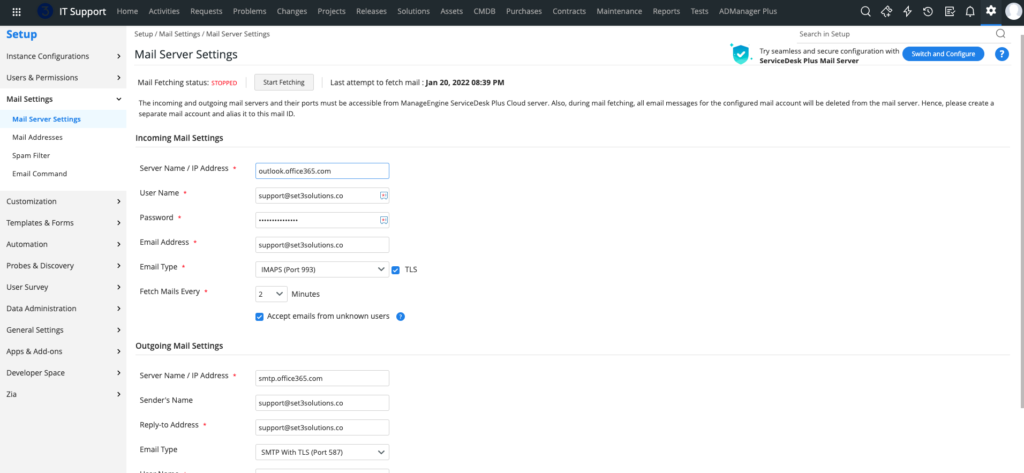
Go to Admin → Mail Server Settings in your ServiceDesk Plus instance.
If you still see the older Basic Authentication screen, click “Switch and Configure” in the top-right corner. This will open the updated Modern Authentication setup.
Fixing ServiceDesk Plus Mail With Modern Authentication Step 2: Connecting Your Microsoft Mailbox
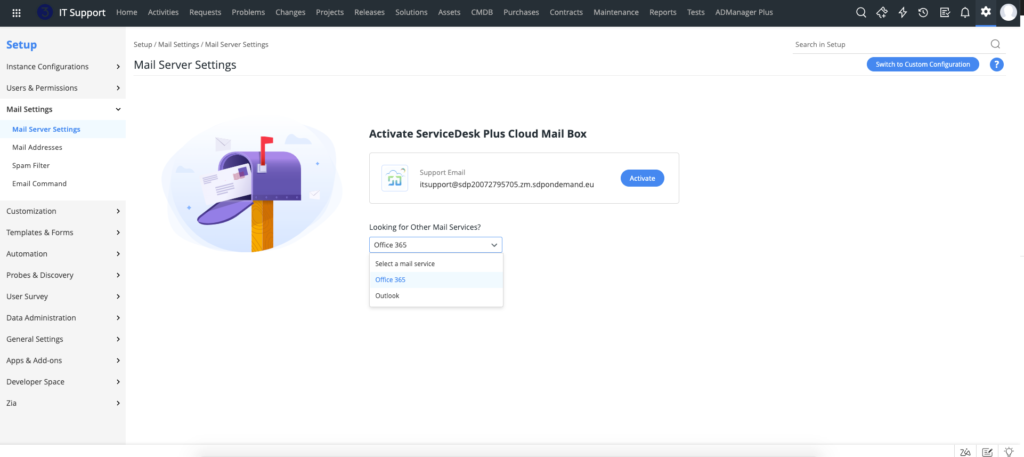
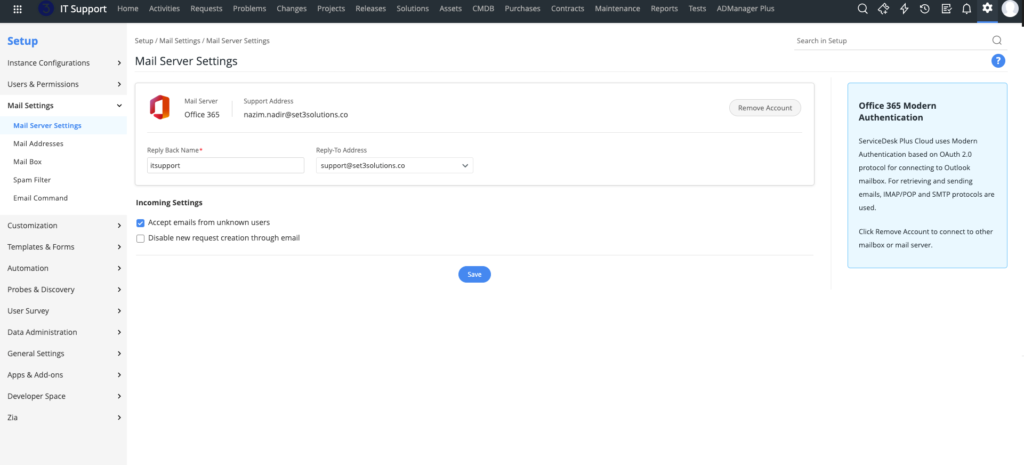
If your organisation uses Microsoft 365 or Outlook, choose the relevant mailbox service and sign in with your Microsoft account when prompted.
Step 3: Using the Native ServiceDesk Plus Mailbox (Optional)
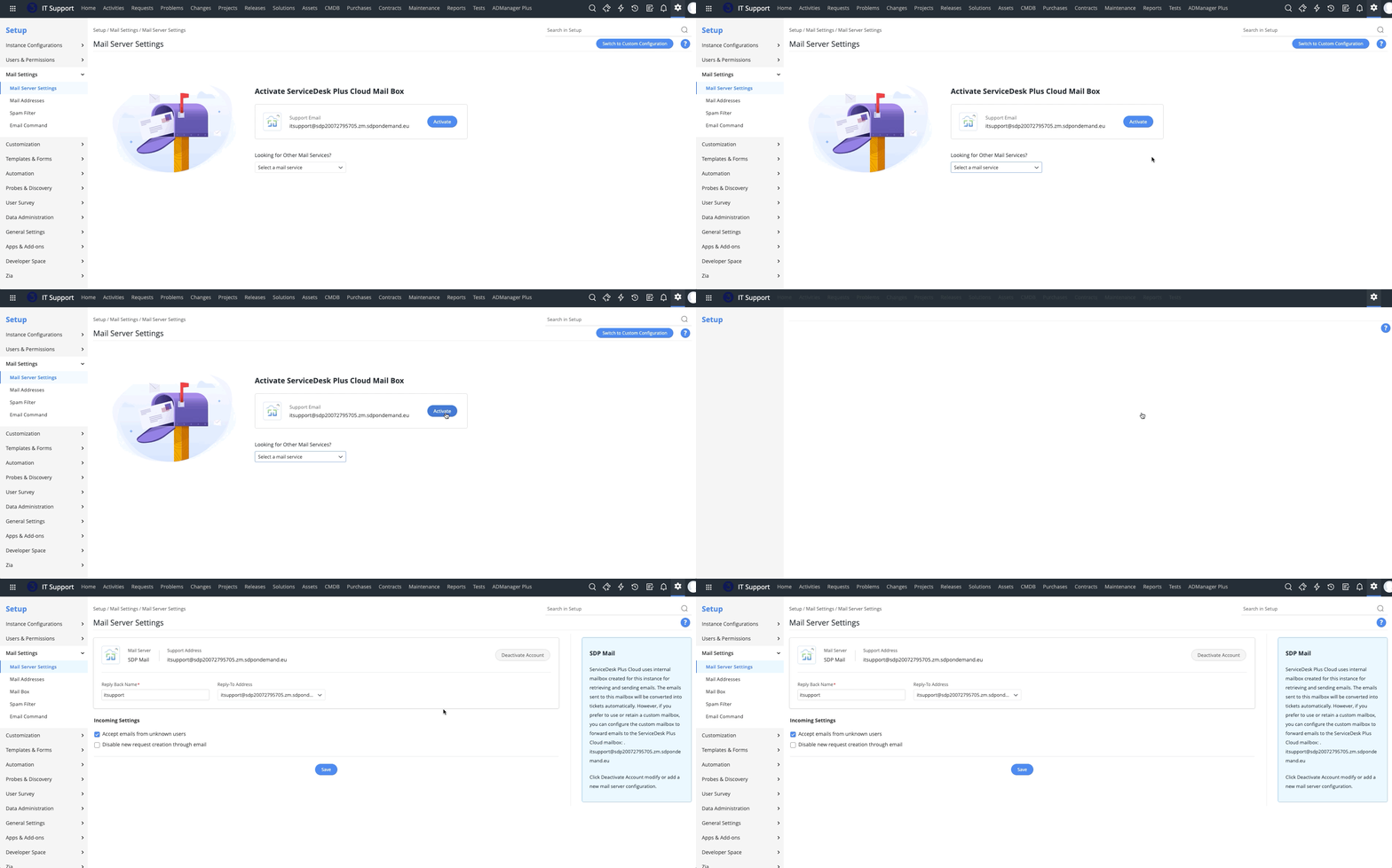
Alternatively, you can use the built-in mail service that comes with ServiceDesk Plus Cloud.
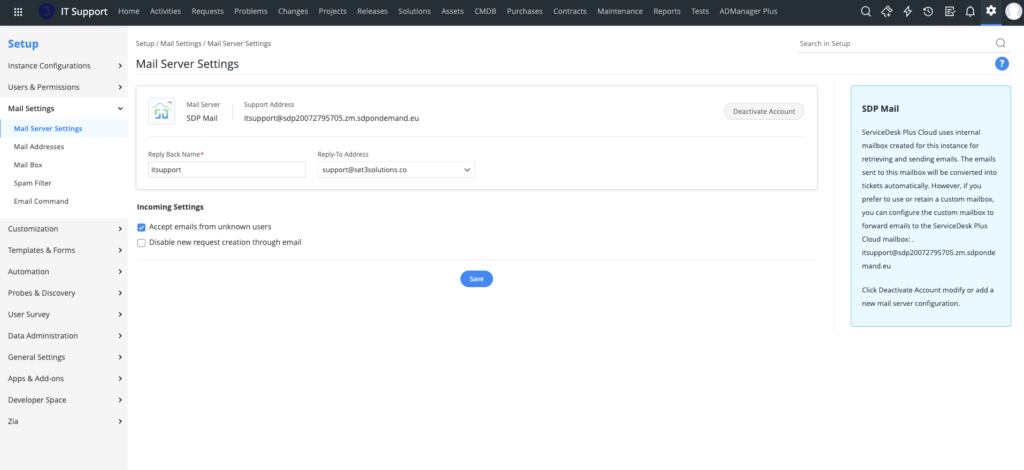
Under Mail Server Settings, you’ll see a unique email address assigned to your instance. Simply activate it, set your “Reply Back Name”, and mail will start routing directly into ServiceDesk Plus.
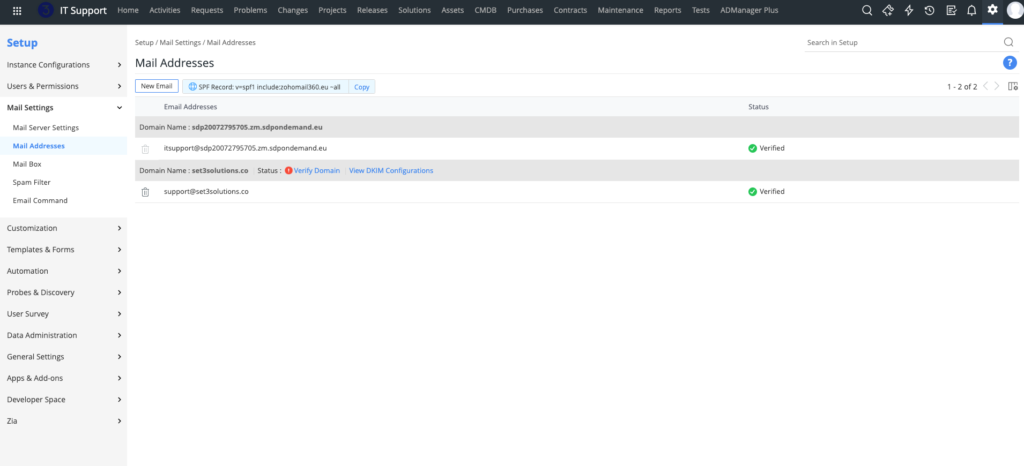
To use your own domain, go to Mail Addresses in Mail Settings.
Step 4: Testing and Confirming
After setup, send a test email to your ServiceDesk Plus address to confirm mail fetching is working as expected.
Hopefully this article assisted you in fixing ServiceDesk Plus mail with modern authentication. If you encounter any issues, double-check authentication permissions in your Microsoft tenant or contact Set3 Solutions for expert assistance.
Need Help?
If you’d like expert assistance configuring ServiceDesk Plus mail with Modern Authentication, Set3 Solutions can help.
As ManageEngine’s leading UK partner, we support hundreds of customers each year with licensing, configuration, and implementation of the full ManageEngine suite.
Contact Set3 Solutions today for professional guidance.
* For more information about Microsoft disabling Basic Authentication click here.
This article is relevant to:
Service Desk
Take the Next Step
Tap into the extensive knowledge of Set3 Solutions, your local UK ManageEngine Technology Partner, and accelerate your ManageEngine experience today.
Contact usOther recent articles in the same category
You may be interested in these other recent articles
Stay Ahead with the Latest Updates for ManageEngine Analytics Plus
29 September 2026
Discover the latest ManageEngine Analytics Plus updates, including new features, fixes, and enhancements.
Read moreLatest Updates for ManageEngine Endpoint Central
28 September 2026
Discover the latest Endpoint Central updates, including new features, fixes, and enhancements.
Read moreStay Ahead with the Latest Updates for ManageEngine OpManager
23 September 2026
Discover the latest OpManager updates, including new features, fixes, and enhancements.
Read moreLatest Updates for ManageEngine ServiceDesk Plus On-Premise
Discover the latest ServiceDesk Plus updates, including new features, fixes, and enhancements.
Read moreLatest Updates for ManageEngine ServiceDesk Plus Cloud
Discover the latest ServiceDesk Plus Cloud updates, including new features, fixes, and enhancements.
Read more