Applications Manager
Server and Application Management (On-Premises)
Overview
ManageEngine Applications Manager is a comprehensive application performance monitoring (APM) and observability solution that provides deep visibility into the health, performance, and availability of business-critical applications across on-premises, cloud, and hybrid environments. Supporting over 150 technologies, it enables IT teams to proactively detect and resolve issues through features like code-level diagnostics, distributed transaction tracing, real user monitoring (RUM), synthetic transaction testing, and automated dependency mapping. With capabilities extending to databases, containers, virtual machines, and cloud services, Applications Manager helps organizations reduce mean time to resolution (MTTR), optimize resource utilization, and ensure seamless end-user experiences—all from a unified, easy-to-use console.
Key Features
• Application performance monitoring
• Server and VM performance monitoring
• End-user experience monitoring
• Synthetic transaction monitoring
• Cloud, container, and infrastructure monitoring
• Database monitoring
• Automated application dependency mapping
Which IT Challenges Does Applications Manager Solve?
ManageEngine Applications Manager addresses key challenges in application performance:
• Application downtime: Monitors app performance in real-time to prevent service disruptions.
• Slow performance: Identifies bottlenecks in servers, databases, and apps with detailed diagnostics.
• Manual monitoring: Automates performance tracking across cloud and on-premises environments.
• Alert fatigue: Optimises alert configurations to reduce false positives and focus on critical issues.
• Lack of visibility: Provides dashboards to track app health, user experience, and dependencies.
Which Edition Of Applications Manager Do I Need?
ManageEngine Applications Manager is offered in three editions to suit various organisational needs:
• Free Edition: Supports up to 5 monitors with limited features, suitable for small-scale monitoring requirements.
• Professional Edition: Designed for small to medium-sized enterprises, it provides comprehensive application performance monitoring, alerting, and reporting features.
• Enterprise Edition: Tailored for large-scale infrastructures, this edition offers distributed monitoring capabilities, allowing for performance comparisons across multiple geographical locations.
Each edition is available with a 30-day free trial, enabling organisations to evaluate the features before committing.
Available Platforms
On-Premise
Customers who bought Applications Manager also bought
• ServiceDesk Plus – Full-stack service management for enterprises
• AlarmsOne – Centralised IT alert management
• OpManager – Network, server, and storage performance monitoring
• Site24x7 StatusIQ – Status pages for real-time status and incident communication
• ADManager Plus – Active Directory, Microsoft 365, and Exchange management and reporting
Need more information?
Review application capabilities instantaneously via on-line demo links, test out features with no-cost trial licenses or simply browse a range of related product resources.
Need more information?
Review application capabilities instantaneously via on-line demo links, test out features with no-cost trial licenses or simply browse a range of related product resources.
Application Control Plus
Application Control and Privilege Management
Overview
ManageEngine Application Control Plus is a robust application whitelisting and endpoint privilege management solution that helps organizations gain complete control over the applications running in their IT environment. It enables IT admins to define and enforce application usage policies, allowing only trusted applications while blocking unauthorized or malicious ones. With features like rule-based whitelisting, on-demand application access, and real-time monitoring, it enhances security by preventing ransomware and zero-day attacks. Additionally, it supports least privilege enforcement, reducing the risk of insider threats and unauthorized access, making it an essential tool for maintaining endpoint security and compliance.
Key Features
• Application whitelisting and blacklisting
• Rule-based list building
• Endpoint privilege management
• Flexible operation modes
• Instant resolution of ‘greylisted’ apps
• Insightful dashboards and reports
Which IT Challenges Does Application Control Plus Solve?
ManageEngine Application Control Plus addresses key challenges in application security:
• Unauthorised software risks: Blocks unapproved apps using allowlist and blocklist policies.
• Policy enforcement delays: Automates policy updates across endpoints for rapid deployment.
• Compliance challenges: Ensures adherence to security standards through continuous monitoring.
• Lack of visibility: Provides dashboards to track application usage and compliance status.
• Manual controls: Simplifies app management with automated privilege elevation and restrictions.
Which Edition Of Application Control Plus Do I Need?
ManageEngine Application Control Plus offers three main editions:
• Free Edition: Allows basic application whitelisting and blacklisting features for up to 25 devices.
• Professional Edition: Provides advanced features such as application version control, firewall integration, and detailed reports for larger environments.
• Enterprise Edition: Includes all Professional Edition features, along with enhanced policy management, integration with Active Directory, and support for larger infrastructures.
Each edition caters to different organisational needs, with the Enterprise Edition offering the most comprehensive set of features.
Available Platforms
On-Premise
Customers Who Bought Application Control Plus Also Bought
• Device Control Plus – Data theft prevention with strict peripheral device control
• Vulnerability Manager Plus – Prioritization-focused enterprise vulnerability management
• Browser Security Plus – Browser security with isolation, lockdown, and activity tracking
• Endpoint Central – Integrated endpoint management and protection platform
• Endpoint Central MSP – Unified endpoint management and security
Need more information?
Review application capabilities instantaneously via on-line demo links, test out features with no-cost trial licenses or simply browse a range of related product resources.
Need more information?
Review application capabilities instantaneously via on-line demo links, test out features with no-cost trial licenses or simply browse a range of related product resources.
Browser Security Plus
Browser Management and Security Software
Overview
ManageEngine Browser Security Plus is a specialized browser management and security solution that helps IT admins monitor, control, and secure web browser activity across enterprise endpoints. It supports major browsers like Chrome, Edge, Firefox, and Internet Explorer, allowing organizations to enforce security policies, block malicious extensions, manage browser updates, and ensure compliance with web usage guidelines. With features like browser vulnerability scanning, extension control, and web filtering, Browser Security Plus helps protect against web-based threats, data leaks, and productivity loss—making it a crucial tool for securing the browser environment in modern, internet-reliant workplaces.
Key Features
• Browser insights and management
• Browser policy deployment and configurations
• Add-on management
• Java manager
• Browser lockdown and isolation
• Web filter and download restrictions
• Data leak prevention
• Compliance management
Which IT Challenges Does Browser Security Plus Solve?
ManageEngine Browser Security Plus addresses key challenges in web browser security:
• Web-based threats: Enforces policies to block malicious sites and unsafe downloads.
• Browser configuration errors: Automates secure browser settings across endpoints.
• Compliance risks: Ensures browser usage meets organisational and regulatory standards.
• Lack of visibility: Monitors browser activities and extensions via centralised reporting.
• Manual updates: Streamlines browser patch management to reduce vulnerabilities.
Which Edition Of Browser Security Plus Do I Need?
ManageEngine Browser Security Plus is available in two main editions:
• Free Edition: Provides basic protection for up to 25 devices, including essential browser security features like blocking malicious websites and controlling browser configurations.
• Professional Edition: Offers advanced security features, including detailed reporting, centralised management, and the ability to manage browser security policies across larger networks.
The Professional Edition provides a more comprehensive set of tools for managing and securing browsers in larger environments.
Available Platforms
On-Premise
Customers Who Bought Browser Security Plus Also Bought
• Application Control Plus – App control and endpoint privilege management software
• Vulnerability Manager Plus – Prioritization-focused enterprise vulnerability management
• Device Control Plus – Data theft prevention with strict peripheral device control
• Endpoint Central – Integrated endpoint management and protection platform
• Endpoint Central MSP – Unified endpoint management and security
Need more information?
Review application capabilities instantaneously via on-line demo links, test out features with no-cost trial licenses or simply browse a range of related product resources.
Need more information?
Review application capabilities instantaneously via on-line demo links, test out features with no-cost trial licenses or simply browse a range of related product resources.
Site24x7 StatusIQ
Status and incident communication platform for IT
Overview
ManageEngine Site24x7 StatusIQ is a cloud-based status and incident communication platform designed to help organizations transparently inform customers and stakeholders about service disruptions, maintenance schedules, and performance updates. It enables businesses to create customizable public and private status pages that display real-time incident statuses, scheduled maintenance, and historical uptime data. Key features include automated notifications via email, SMS, and RSS feeds, multilingual support, and integration with monitoring tools like Site24x7 for seamless incident updates. StatusIQ also offers customization options such as custom domains, branding, and HTML/CSS modifications to align with organizational needs. By providing a centralized hub for incident communication, StatusIQ helps reduce support ticket volumes, enhance customer trust, and improve overall service reliability.
Key Features
• Public status pages for transparent communication
• Real-time status updates
• Incident and maintenance notifications for end users
• Email and SMS notifications for subscribers
• Domain, logo, and page customisation
Which IT Challenges Does Site24x7 StatusIQ Solve?
ManageEngine Site24x7 StatusIQ addresses key challenges in status communication:
• User confusion during outages: Provides real-time status pages to communicate service availability.
• Manual status updates: Automates outage notifications and resolution updates for stakeholders.
• Lack of transparency: Shares detailed incident reports to maintain user trust.
• Slow communication: Integrates with monitoring tools to publish status changes instantly.
• Customisation limitations: Offers flexible status page templates for branding and usability.
Which Edition Of Site24x7 StatusIQ Do I Need?
ManageEngine Site24x7 StatusIQ offers four subscription plans to cater to different organisational needs:
• Free Plan: Provides basic status page functionalities suitable for small teams or initial evaluations.
• Basic Plan: Offers enhanced features over the Free Plan, including support for multiple status pages and additional customisation options.
• Green Plan: Designed for organisations requiring more advanced features and higher limits on status pages and subscribers.
• Blue Plan: Tailored for large enterprises, this plan includes comprehensive features, higher thresholds for status pages and subscribers, and advanced customisation capabilities.
Each plan supports add-ons to extend capabilities, such as additional status pages, subscriber limits, and SMS credits. A 30-day free trial is available for all plans, allowing organisations to assess the features before making a commitment.
Available Platforms
Cloud
Customers Who Bought Site24x7 StatusIQ Also Bought
• Site24x7 – AI-powered, all-in-one SaaS platform for observability and digital experience monitoring
• AlarmsOne – Centralized IT alert management
Need more information?
Review application capabilities instantaneously via on-line demo links, test out features with no-cost trial licenses or simply browse a range of related product resources.
Need more information?
Review application capabilities instantaneously via on-line demo links, test out features with no-cost trial licenses or simply browse a range of related product resources.
Site24x7 APM Insight
Application performance monitoring and troubleshooting
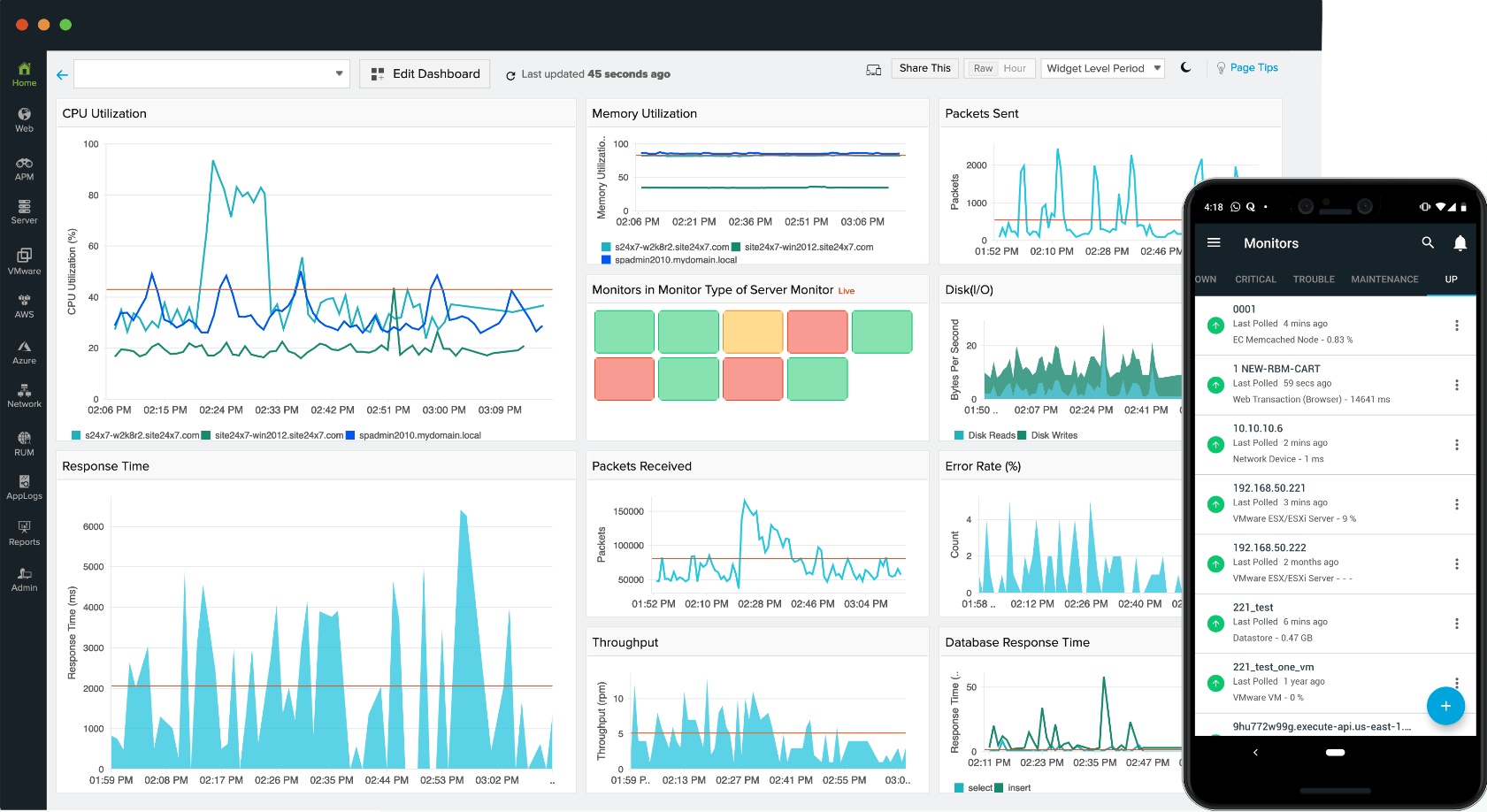
Understand your application behaviour and enhance your end-user experience with Site24x7 APM Insight.
Check out the full package here!
Looking for an on-premise monitoring solution? Check out OpManager
Looking for an on-premise Application monitoring? Check out Applications Manager
Boost your application performance with the Site24x7 APM Insight tool.
Be it your cloud, virtual or physical servers – get a holistic view of your application’s performance.
- Supported Platforms: Get in-depth insights on the health of your applications running on various platforms like .NET, Java, Ruby, Node.js, and PHP.
- APM for Cloud-based Platforms: Monitor the key performance metrics of applications that access a variety of services on AWS and Microsoft Azure along with telemetry from your cloud environment.
- iOS and Android Apps: Get detailed performance metrics of mobile apps on both iOS and Android platforms. Enhance the end-user experience by resolving issues the moment they occur.
- Log Management: View production information, application logs, and performance issues in the same console. You won’t need access to production servers to troubleshoot servers.